
SKU Master Data
Item Master on Shipper ERP
Ensure your product data is synchronized before initiating any Inbound (Purchase Order) or Outbound (Sales Order) requests. The Item SKU Master Data Interface allows you to connect your system directly to the Shipper ERP (Enterprise Resource Planning) and Shipper WMS (Warehouse Management System) to create, update, and retrieve Item SKU information.
Integration Workflow
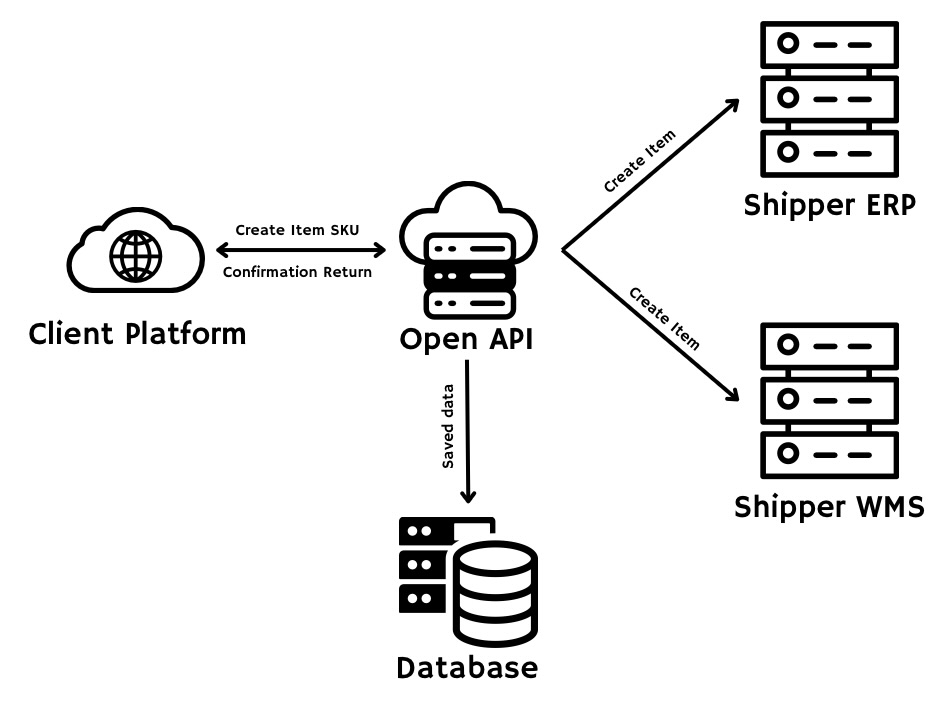
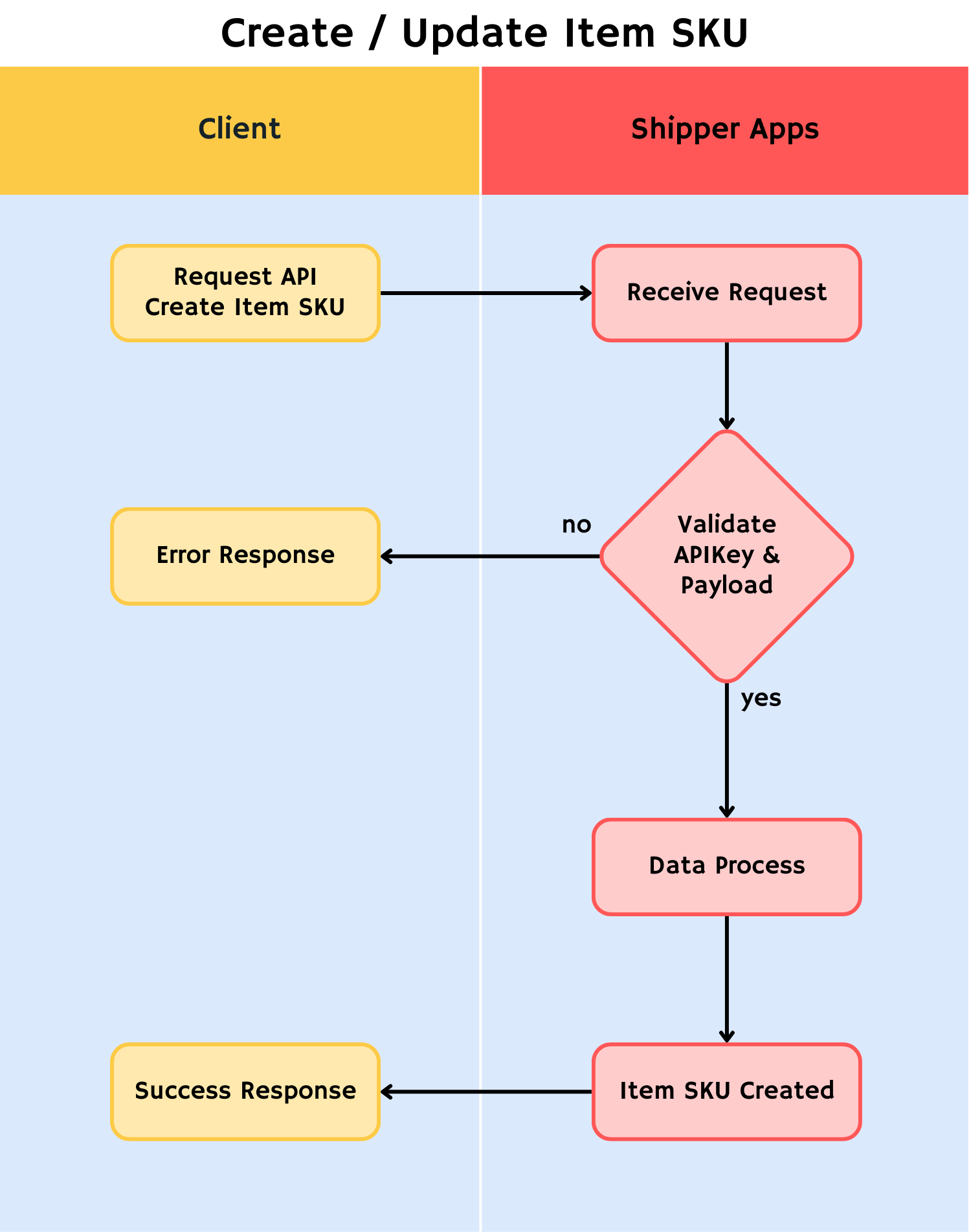
Create SKU Master Data
Push new Item SKU data from your system to Shipper System. This is the first step to registering products in our warehouse. For more details, click here.
Update SKU Master Data
Modify existing Item SKU details in Shipper System to ensure consistency with your system updates. For more details, click here.
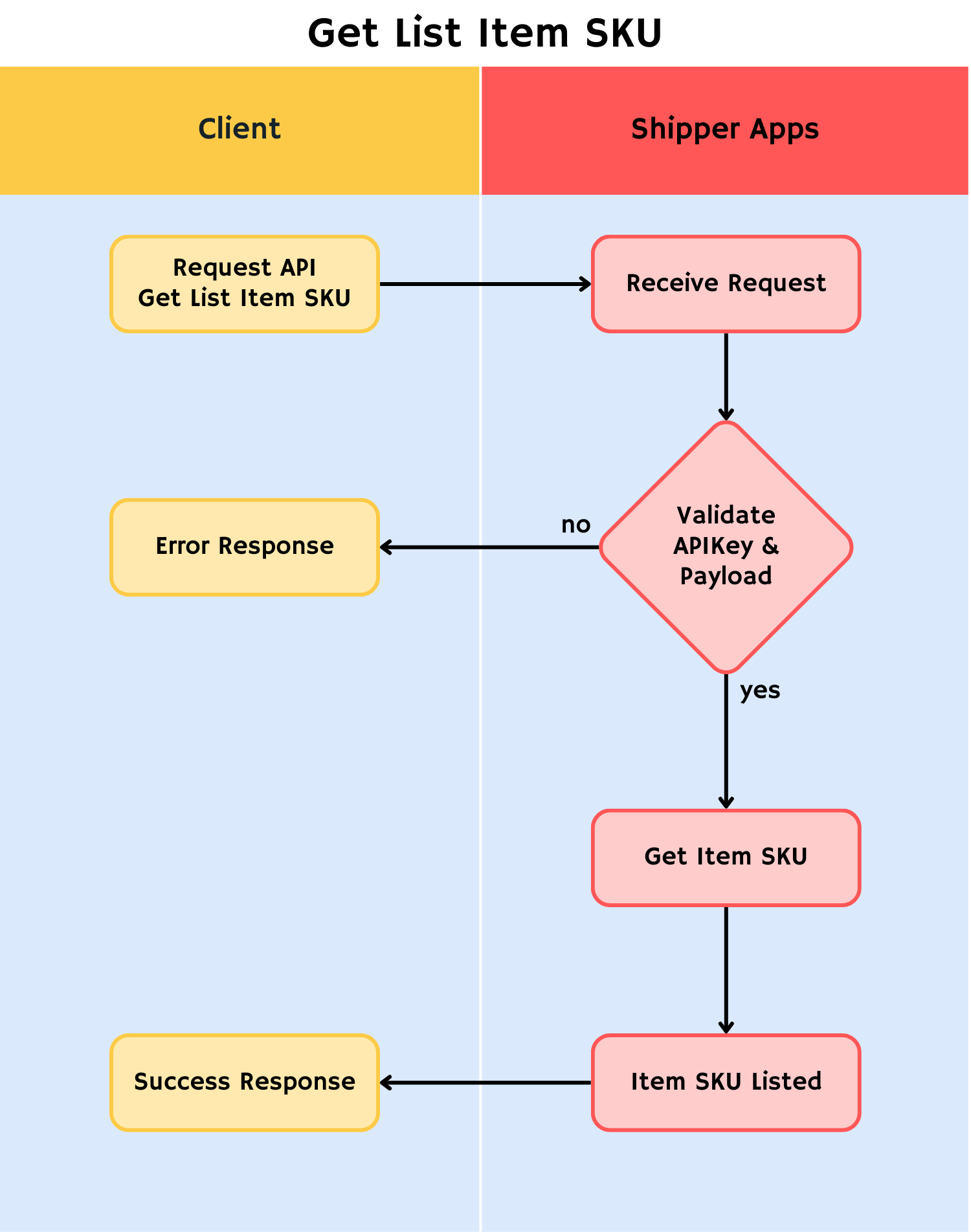
Get List SKU Master Data
Retrieve a bulk list of registered Item SKUs currently stored in Shipper System. For more details, click here.
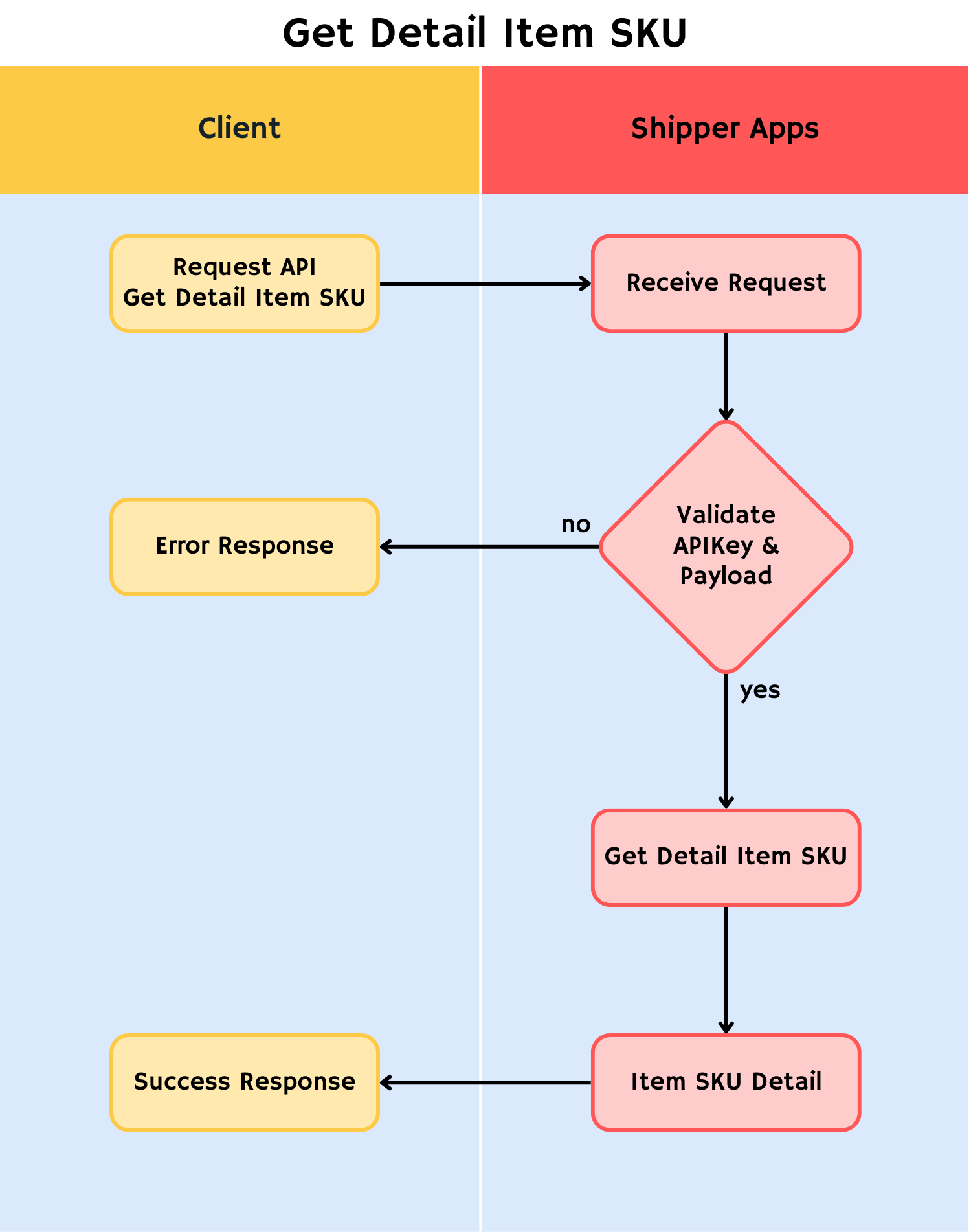
Get SKU Detail Data by SKU Code
Retrieve specific details for a single Item SKU using its unique SKU Code. For more details, click here.
List of Endpoint
Updated 10 months ago